6 July 2026 · If You Die
What happens to your passwords when you die: A UK guide
In our digital world, passwords are the keys to everything. Discover what happens to your passwords when you die and learn how to create a secure plan to protect your digital estate and help your family.
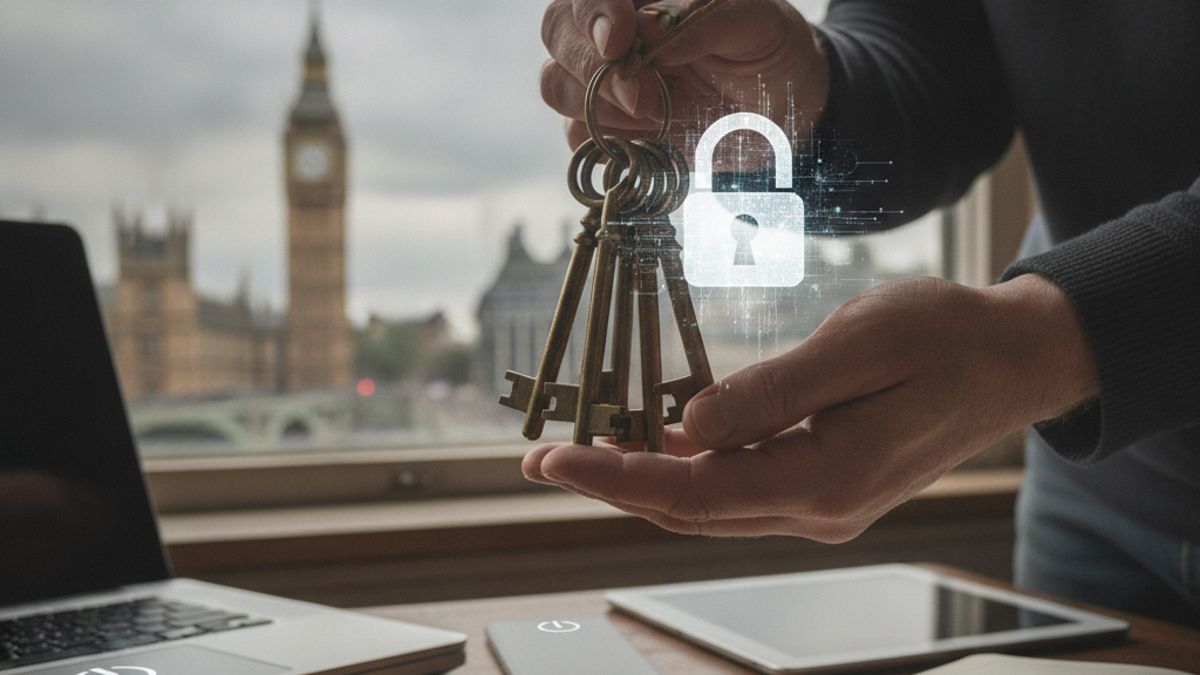
Our lives are increasingly lived online, stored in clouds and secured behind a wall of passwords. From banking and utility bills to treasured family photos and social media connections, these unique codes are the keys to our digital existence. But have you ever stopped to consider what happens to your passwords when you die? Without a plan, these keys are effectively buried with you, leaving your family locked out and facing a maze of frustration and administrative hurdles during an already difficult time. They may be unable to access important financial information, preserve precious memories, or even close down accounts to prevent fraud.
Thinking about this topic can feel uncomfortable, but preparing for it is a profound act of care for those you leave behind. Creating a clear, secure plan for your passwords after death is not just about practicalities, it's about easing the burden on your family. This guide will walk you through the challenges your family could face, explore the risks of common password-sharing methods, and provide practical, secure solutions. By understanding your options, you can ensure your digital estate is managed according to your wishes, providing reassurance for you and clarity for your family.
Contents
- The digital key cabinet: Why your passwords matter so much
- The default scenario: What happens to passwords if you do nothing?
- Common but risky methods of sharing passwords
- Secure and practical solutions for managing passwords after death
- Creating your digital estate plan: A step-by-step guide
- Legal considerations in the UK
The digital key cabinet: Why your passwords matter so much
It's easy to underestimate the sheer volume of our digital footprint. Each password protects a small piece of our life, and together, they form a comprehensive map of our personal, financial, and social worlds. When you pass away, access to these accounts becomes crucial for your family or the executor of your estate for both practical and sentimental reasons.
Consider the different types of accounts your passwords protect:
- Financial accounts: This includes online banking, credit cards, investment platforms, PayPal, and pension portals. Without access, your executor will have a much harder time identifying assets, settling debts, and distributing your estate.
- Communication channels: Your primary email account is often the most critical. It acts as a master key, holding correspondence and allowing password resets for dozens of other services. We've written a detailed guide on what happens to your email address when you die, as it's a cornerstone of your digital life.
- Social media and cloud storage: Platforms like Facebook, Instagram, Google Photos, and Dropbox hold years of memories, photographs, videos, and personal messages. For many families, losing access to these is like losing a precious family album.
- Utilities and subscriptions: Your household bills for gas, electricity, and council tax, along with subscriptions like Netflix, Spotify, and gym memberships, are all managed online. Without passwords, it can be difficult for your family to notify these companies and stop recurring payments.
- Personal and professional assets: This could include everything from crypto wallets and domain names to accounts for freelancers with ongoing projects or client information. These assets have real-world value that needs to be managed.
The core issue is that each of these digital keys unlocks a different door. For your family, trying to figure out which doors exist, let alone how to open them, can be an overwhelming task. A well-organised plan for your passwords after death transforms this chaotic ordeal into a manageable process.
The default scenario: What happens to passwords if you do nothing?
If you don't make a plan, your passwords effectively cease to exist for anyone else. They remain securely locked away on servers around the world, and your family is left on the outside looking in. This inaction creates a series of significant problems that can add immense stress to their grief.
The long and frustrating process of proving death
Without a password, your executor or next of kin must contact each company individually. This isn't a simple phone call. They will need to provide official documentation, such as a death certificate and proof of their own identity and legal authority (like a grant of probate). This process must be repeated for every single account, from your bank to your mobile phone provider to your social media.
Each company has a different procedure. Some are helpful, while others are notoriously difficult to deal with. It can take weeks or even months to gain control of, or simply close, a single account. The administrative burden is enormous and emotionally draining.
Legal and privacy hurdles
Most online services have strict terms of service that prohibit sharing your password. From a legal standpoint, your account and the data within it belong to you. When you die, service providers are bound by data protection laws, like GDPR, which prevent them from simply handing over access to a family member, even a spouse or child.
Trying to guess a password or use one that was shared informally could even be a technical breach of the Computer Misuse Act 1990 in the UK. While prosecution is unlikely in these circumstances, it highlights the legal grey area families are forced into. Using official channels, however slow, is the only legally sound way forward, but it often provides limited results. For a broader overview of this challenge, see our guide on what happens to your accounts when you die.
The risk of being locked out forever
In many cases, the end result of this long process is not access, but deletion. A company might agree to close an account and delete its data, but they will rarely transfer control or provide a full data download to the family. This means precious photos, videos, and messages can be permanently lost. For accounts your family doesn't even know exist, the data will simply sit on a server until it is eventually purged for inactivity, lost to time.
Common but risky methods of sharing passwords
Many people recognise the problem and try to solve it with simple, do-it-yourself methods. While well-intentioned, these common approaches often create more security risks than they solve. It's important to understand their flaws before relying on them.
The password notebook
Writing down passwords in a physical notebook and storing it in a 'safe place' is a popular method. It's simple and requires no technology. However, it's far from secure.
- It can be lost, stolen, or destroyed. A fire, flood, or even a simple house move could make it disappear forever. If stolen, it provides a complete roadmap for an identity thief.
- It quickly becomes outdated. We are prompted to change our passwords regularly. How often would you remember to update the notebook? It’s likely to be incomplete or contain old, useless passwords when it's needed most.
Storing passwords in a computer file or email
Creating a spreadsheet or a text document on a personal computer seems more modern, but it has its own set of dangers. If the computer itself is password-protected, your family is back to square one. Furthermore, any computer connected to the internet is vulnerable to malware, viruses, and hacking. Storing all your passwords in an unencrypted file is like leaving your house keys under the doormat for cybercriminals. Sending them via email is even worse, as email accounts are a primary target for hackers.
Putting passwords in your will
This is one of the most dangerous mistakes you can make. While you should mention your digital assets in your will, you must never include the actual passwords or login details. In the UK, once a will goes through probate, it becomes a public document. Anyone can request a copy for a small fee. Including your passwords in your will is equivalent to publishing them for the entire world to see, exposing your estate and your family to massive risks of fraud and identity theft.
Secure and practical solutions for managing passwords after death
Fortunately, technology has provided us with far better and more secure ways to manage our digital estate. These solutions are designed to keep your information safe during your lifetime and make it accessible only to the right person at the right time.
1. Use a password manager with emergency access
A password manager is a highly secure digital vault that stores all your login credentials. You only need to remember one strong 'master password' to unlock the vault. Leading services like 1Password, Bitwarden, and LastPass offer features specifically for this scenario.
Their 'emergency access' or 'estate' features allow you to designate a trusted contact (like your spouse, child, or executor). This person can request access to your vault if something happens to you. To prevent misuse, the system usually includes a waiting period that you define. For example, if your contact requests access, you might get an email notification. If you don't deny the request within, say, seven days, access is automatically granted. This ensures your data remains private while you are alive and well, but becomes accessible in a true emergency. This can be especially helpful for unmarried partners who need a clear, pre-agreed system for access.
2. Utilise platform-specific tools
Some major tech companies have built-in tools to manage your data after you die. These are excellent additions to a comprehensive plan, though they only cover their own platforms.
- Apple's nominated contact: You can designate one or more estate Contacts for your Apple ID. After you die, they can provide a copy of your death certificate and a special access key to Apple. This grants them access to most of the data stored in your iCloud account, including photos, notes, and messages.
- Google's Inactive Account Manager: This tool lets you decide what happens to your Google account data if you stop using it for a certain period (e.g., 3 months). You can choose to have your data shared with up to 10 trusted contacts or have the account automatically deleted. It covers Gmail, Google Drive, and Google Photos.
- Facebook's Memorialisation and nominated contact: Facebook allows you to nominate a nominated contact who can manage your memorialised profile. They can write a pinned post, change the profile picture, and respond to new friend requests, but they cannot log in as you or read your messages. Alternatively, you can request that your account is permanently deleted upon your death.
3. Engage a dedicated digital estate service
While password managers are great for credentials and tech platforms handle their own data, a dedicated digital estate service like If You Die provides a holistic solution. These platforms are built from the ground up to handle the sensitive process of death on your digital life.
You can store not only passwords but also vital documents (like your will or birth certificate), financial information, final wishes, and heartfelt messages for your family. Access is granted to your nominated contacts only after your death has been securely verified. This 'dead man's switch' approach provides the highest level of security and confidence, ensuring your private information is only revealed when it is truly necessary. This can be an invaluable resource for anyone, but especially for those with complex digital lives like digital nomads or expats.
Creating your digital estate plan: A step-by-step guide
Knowing the tools is the first step. The next is to put a concrete plan in place. Here is a practical, step-by-step guide to organising your passwords and digital assets for your family.
Step 1: Make a list of your digital assets
You can't protect what you don't know you have. Take some time to inventory all your important online accounts. Don't try to do it all in one sitting. Keep a notebook or a secure document and add to it over a week or two. Group your accounts into categories to make it easier to manage:
- Financial: Bank, credit card, pension, investments, PayPal.
- Communication: Email, social media (Facebook, LinkedIn, X), messaging apps.
- Cloud Storage: iCloud, Google Drive, Dropbox, OneDrive (for photos, documents).
- Shopping & Subscriptions: Amazon, Netflix, Spotify, news subscriptions, gym memberships.
- Utilities: Gas, electricity, water, internet, mobile phone.
- Government: Government Gateway, council tax, DVLA.
This inventory is the foundation of your digital estate plan. It's a vital task for everyone, but especially for parents who are managing the digital lives of a whole family.
Step 2: Choose your secure method
Based on the options discussed earlier, decide how you will store and share this information. For most people, a combination of tools is best. You might use a password manager for all your logins, set up estate contacts on Apple and Google, and use a digital estate service for instructions, documents, and final messages. The most important thing is to choose a method you are comfortable with and can maintain.
Step 3: Nominate your 'digital executor'
Decide who you trust to manage this information. This might be the same person who is the executor of your will, but it doesn't have to be. Choose someone who is responsible, trustworthy, and reasonably comfortable with technology. It could be your partner, an adult child, a sibling, or a close friend.
Step 4: Write clear instructions
Simply handing over a list of passwords is not enough. your family need to know what you want them to do. For each account, provide simple, clear instructions. For example:
- Facebook Account: "Please memorialise my account. My cousin Sarah is nominated as the nominated contact."
- Photo Cloud Storage: "Please download all photos and share them with the family. Then close the account."
- Online Banking: "This is for my executor. Use this to identify my assets and settle my final bills."
- Netflix Subscription: "Please cancel this to stop payments."
These instructions remove the guesswork and anxiety for your family, allowing them to act confidently on your behalf. It's a practical extension of the care you might show when writing a goodbye letter to your family.
Step 5: Talk to your chosen person
Your plan is not complete until you have spoken to your nominated contact. Let them know what you have done and what to expect. You don't need to share the master password with them now, but you must tell them how to access the information when the time comes. For example, you might say, "I've set up an emergency access system through my password manager. You will be able to request access, and here are the steps." This conversation is crucial to ensure your plan works smoothly.
Legal considerations in the UK
While planning for your digital estate is a practical matter, it intersects with UK law in a few important ways. Understanding this context helps ensure your plan is both effective and legally sound.
The role of the executor
The executor of your will is the person legally empowered to manage your estate, which includes your property, money, and belongings. Increasingly, this is understood to include your digital assets. By providing your executor with a secure map to your digital life (not the passwords themselves, but instructions on how to access them), you are enabling them to perform their duties properly. your digital estate plan should complement your will, not contradict it.
Your will and your digital assets
As mentioned, you should never put passwords in your will. However, it is a very good idea to include a clause in your will that acknowledges your digital assets and gives your executor the authority to deal with them. You can reference the location of your digital estate plan. For example, a clause might state: "I have created a separate list of my digital assets and their access instructions, which is stored with the If You Die service. I authorise my executor to access this information to manage my digital estate."
The Computer Misuse Act 1990
This law makes it an offence to gain unauthorised access to computer material. Technically, logging into someone else's account without permission, even after they have died, could fall under this Act. This is why it is so important to use official channels like Apple's nominated contact or a digital estate service that has a clear, permission-based process for granting access. A well-documented plan demonstrates your explicit consent, protecting your family from falling into a legal grey area.
Planning for what happens to your passwords when you die is a task that is easy to put off. It forces us to confront our mortality, which is never comfortable. Yet, it is one of the most considerate and practical gifts you can give to your family. In a world where our memories, finances, and social connections are stored behind digital walls, providing the keys is an essential part of preparing for the inevitable.
By taking the time to inventory your accounts, choose a secure method like a password manager or digital estate service, and write clear instructions, you can lift a significant weight from your family' shoulders. This act of organisation transforms a potential future of chaos and frustration into a clear and manageable process. Services like If You Die are designed to guide you through creating a comprehensive plan for your passwords after death, ensuring your digital estate is preserved and your family is cared for.
If You Die
Write what only you know. We deliver it, only if you stop replying.
£6 / month, free to start.