15 August 2026 · If You Die
What a dead man's switch email is and how it works: a practical guide
Discover what a dead man's switch email is, how the automated check-in process works, and how to securely pass on your digital estate to family.
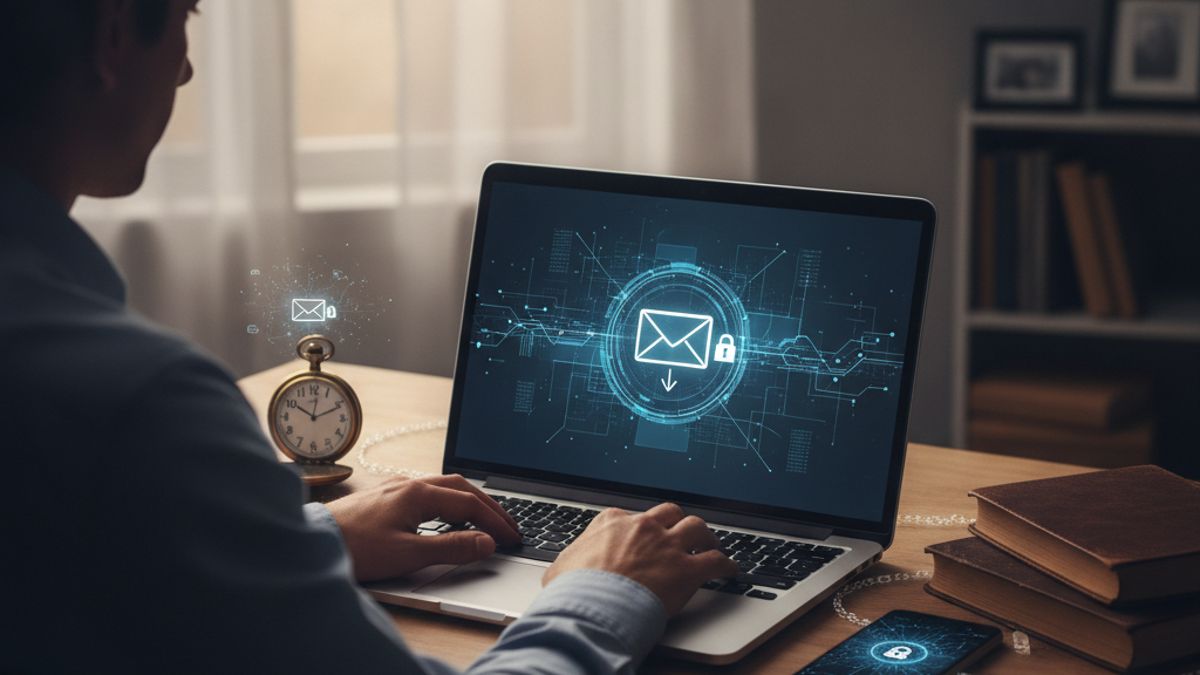
A dead man's switch email is an automated message designed to send out your digital estate, important instructions, or account details to chosen contacts if you fail to check in or verify your presence after a specified period.
In an increasingly digital world, the question of what happens to our online lives when we pass away is becoming more pressing. We store our most precious memories, important financial records, and personal correspondence behind passwords and biometric locks. Without a proactive plan, these assets can become permanently inaccessible to our family. A dead man's switch offers a practical, automated solution to this modern problem. It ensures that your vital information is transferred smoothly and securely to the people you trust, precisely when they need it most, without relying on physical paperwork that can be lost or destroyed.
This comprehensive guide will explain exactly how a dead man's switch email works, the security technology behind it, and how you can implement one to protect your family and your digital estate. By understanding this automated process, you can take control of your digital estate and provide invaluable reassurance for yourself and your family. You can find more insights on our blog regarding how best to prepare your affairs.
Contents
- The origins of the fail-safe concept
- How a dead man's switch email operates technically
- Cryptography and modern security standards
- Why modern internet users need an automated switch
- A step-by-step guide to configuring your own switch
- Integrating a switch with UK estate planning
- Common mistakes when setting up automated messages
- Conclusion: taking control of your digital future
The origins of the fail-safe concept
The term might sound a little stark, but the concept of a dead man's switch is rooted in safety engineering and historical transport systems. The underlying principle is that a system should default to a safe state if the human operator becomes incapacitated. This idea was originally designed to save lives and prevent catastrophic accidents in heavy machinery and public transport.
The original mechanical dead man's switch was patented in the late 19th century, with major implementations on the New York City Subway dating back to 1904. In these early railway systems, the driver had to continuously press down on a pedal or hold a lever. If the driver fell asleep, fainted, or suffered a sudden medical emergency, their grip would release. This release of pressure would automatically sever the power supply and apply the emergency brakes, bringing the train to a safe halt.
Over the decades, this physical safety mechanism evolved. It was adapted for industrial machinery, medical devices, and eventually software systems. In the digital age, software engineers began using software-based switches to monitor server health. If a server stopped sending a regular signal to the network, the system would automatically restart it or alert an administrator. It was only a matter of time before this robust, automated logic was applied to personal data and digital estate management.
Today, a dead man's switch email takes this exact fail-safe logic and applies it to your personal communications. Instead of applying brakes to a train, the system releases your pre-written emails and securely encrypted files. It requires you to occasionally prove you are still present and active. If you do not provide this proof, the system assumes you are no longer able to do so and executes your predefined instructions.
How a dead man's switch email operates technically
Understanding how a dead man's switch works requires looking at the continuous loop of checks and balances that the service performs in the background. The mechanism relies on a simple timer, an alert protocol, and an execution command. When you set up the service, you choose an interval for your check-ins.
A typical digital switch operates on a standard 30-day or 60-day interval for check-ins. During this period, the system waits silently. As the end of your chosen interval approaches, the service will send you a prompt. This prompt usually arrives via email, though some modern services use SMS messages or dedicated smartphone applications with push notifications. The message will contain a secure link or a button asking you to confirm that you are okay.
When you click the link and log in, the timer resets completely. The system goes back to sleep for another 30 or 60 days, depending on your settings. However, the true value of the system becomes apparent if you fail to respond. If you are incapacitated, hospitalised, or have died, the initial prompt will go unanswered.
To prevent accidental triggers caused by lost phones, internet outages, or simple forgetfulness, these systems do not release your emails immediately. If a user fails to respond, most reliable platforms trigger a final warning and initiate a 48-hour or 72-hour grace period before sending the payload. During this grace period, the service might attempt to contact you through secondary communication channels or alternate email addresses.
Once the grace period expires without any response, the switch is formally triggered. The system decrypts the messages, files, and instructions you have saved. It then automatically dispatches these emails to the specific recipients you assigned. The entire process runs on secure servers without requiring any manual intervention from family members or lawyers, making it an incredibly reliable way to ensure your voice is heard even after you die.
Cryptography and modern security standards
Because a dead man's switch email often contains highly sensitive information such as bank account details, personal letters, and master passwords, security is the most critical aspect of the service. You are essentially trusting a third-party server to hold your most private data for years or even decades. Standard email services do not provide the necessary level of encryption for this task.
When evaluating how a dead man's switch works, you must look at the encryption standards employed by the provider. Industry standard security relies on AES-256 encryption, which uses a 256-bit key that is practically impossible to crack with current computing power. To put this into perspective, cracking a 256-bit key would take the world's most powerful supercomputers millions of years. This means your stored emails and attachments remain completely unintelligible to anyone, including the service provider, until the switch is triggered.
Furthermore, leading digital estate platforms utilise Zero-Knowledge architecture. In a Zero-Knowledge system, the cryptographic keys required to unlock your data are derived from your master password, which is never stored on the company's servers. The provider holds the encrypted vault, but only you hold the key. When the dead man's switch email is finally triggered, the system uses a secure protocol to release access links to your designated contacts, often requiring them to verify their identity before the final decryption occurs.
It is important to avoid using basic scheduled emails through standard providers for your digital estate. While you can technically schedule an email to send a year in the future, that email sits in plain text on a server. If the email account is compromised, all your private data is exposed. A dedicated switch ensures your files are heavily encrypted at rest and only become readable upon the specific, secure activation of the release protocol.
Why modern internet users need an automated switch
In previous generations, leaving a estate meant writing a physical will and keeping financial documents in a safe or a filing cabinet. The executor of the estate simply had to look through the deceased person's paperwork to find everything they needed. The modern landscape is entirely different. We exist across dozens of online platforms, many of which our closest relatives know nothing about.
For many solo founders and business owners, a dead man's switch email is a crucial business continuity tool. If an entrepreneur runs an online business, they hold the keys to domain registrars, web hosting accounts, and client databases. If they pass away unexpectedly, the business could collapse within days. An automated email can immediately notify a trusted colleague or business partner, granting them emergency access to keep the company running or to sell the assets.
The service is equally vital for crypto holders. Cryptocurrency is decentralised, meaning there is no customer service department to call if a wallet owner passes away. If the private keys or seed phrases are lost, the funds cannot be recovered. An automated switch allows investors to securely pass on the location of their physical hardware wallets and the necessary recovery phrases to their beneficiaries, ensuring generational wealth is not lost in the blockchain.
It is also a highly practical tool for subscription managers. Most households have a designated person who manages the Netflix, Spotify, Amazon Prime, and utility accounts. If that person passes away, the surviving spouse might struggle to cancel or transfer these direct debits, leading to unnecessary financial drain during a period of grief. A simple automated email detailing login credentials and active subscriptions can alleviate a massive administrative burden.
Finally, a dead man's switch offers a profound emotional benefit. Many people use the service to write heartfelt, final messages to their family and friends. This allows individuals to have the last word, offering comfort and closure to those left behind. If you are considering this, you might find our guide on Writing a goodbye letter to your family: a practical and heartfelt guide particularly helpful.
A step-by-step guide to configuring your own switch
Setting up your automated email system requires careful thought and preparation. It is not just about typing a quick message, it is about organising your digital life so that your family can navigate it without you. Following a structured approach ensures that your switch will function flawlessly when the time comes.
To begin, you need to select a reliable digital estate provider that specialises in automated switches and uses the robust AES-256 encryption discussed earlier. Once you have created your secure account, you can begin the setup process. It is highly recommended to build your digital payload systematically.
Here is a practical checklist of steps to configure your dead man's switch email securely:
- Select your interval and grace period: Choose a check-in frequency that matches your habits. If you use the internet daily, a 30-day interval with a 7-day grace period provides a good balance between prompt delivery and avoiding false alarms.
- Designate your trusted recipients: Choose two or three highly reliable individuals. Ensure you have their current, personal email addresses rather than work emails, which they might lose access to if they change jobs.
- Draft clear, practical instructions: Write an overarching letter explaining what this email is, why they are receiving it, and what immediate steps they need to take.
- Attach secure credential vaults: Rather than typing out dozens of passwords, attach an encrypted export from a trusted password manager, or provide the master password to a digital vault where your credentials live.
- Include legal and financial signposts: State clearly where your physical Will is stored, the contact details of your solicitor, and a list of institutions where you hold accounts.
Once your payload is ready and your recipients are assigned, it is crucial to perform a trial run. Most platforms allow you to send a test ping to yourself to ensure the notifications bypass your spam filter. You should also set a calendar reminder for yourself every six months to review and update the contents of your switch, ensuring that all passwords and instructions remain current.
Integrating a switch with UK estate planning
While a dead man's switch email is a powerful technological tool, it does not replace traditional legal estate planning. Instead, the two systems should work hand in hand. In the UK, the legal framework governing inheritance is strict and historically rooted. The UK Wills Act 1837 still dictates how a physical Will must be signed and witnessed to be legally binding.
A digital switch cannot serve as a legally binding Will in the UK. If you attempt to distribute financial assets or property solely through an automated email, those instructions will not hold up in court. However, a digital estate service acts as the perfect companion to your legal documents. It acts as an immediate signalling mechanism, informing your family of where the legal documents are physically located.
The traditional legal process can be incredibly slow. In the UK, the traditional probate process can routinely take between 9 and 12 months, leaving digital accounts in limbo if access is not proactively shared. During this long waiting period, social media accounts can be hacked, domain names can expire, and subscription fees can drain the deceased person's bank account. You can read more about navigating this complex period in our article on What happens to your accounts when you die: a UK guide.
By utilising an automated email, you give your family immediate, practical access to manage your digital footprint while they wait for the formal probate process to conclude. You can provide instructions on how to memorialise your Facebook profile, how to cancel your gym membership, and how to access your digital photo libraries. Furthermore, you should discuss your digital estate plans with your solicitor, ensuring your legal Will references your digital assets and grants your executor the right to manage them.
If you are unsure about the specifics of email provider policies in the UK, we highly recommend reading What happens to your email address when you die? A UK guide to understand how major platforms handle deceased users' data.
Common mistakes when setting up automated messages
Despite the sophisticated technology underpinning these services, human error remains the biggest risk to a successful digital estate plan. Because a dead man's switch operates automatically based on your parameters, setting the wrong parameters can lead to unintended consequences. It is essential to be mindful of common pitfalls when configuring your account.
One of the most frequent errors is setting the check-in interval too short. Some users, overly anxious about their data, set a 7-day timer. If they take a two-week holiday in a remote location without internet access, or if they undergo an unexpected but routine medical procedure, the system will trigger a false positive. Sending your family an automated farewell message while you are simply off the grid causes immense and unnecessary distress.
Another significant mistake is failing to inform your designated recipients that the system exists. If a family member suddenly receives a highly encrypted, automated email containing sensitive data, their first instinct might be to assume it is a phishing scam or a computer virus. They might delete the very email you spent hours preparing. It is vital to have a conversation with your trusted contacts beforehand.
To ensure your digital estate strategy is foolproof, avoid these critical errors:
- Relying on a single point of failure: Do not send all your affairs data to just one person. If their email account is compromised, or if they pass away before you do, your instructions will be lost. Always nominate at least two independent recipients.
- Storing outdated security credentials: Changing your master password for your password manager but forgetting to update the dead man's switch renders your entire digital vault useless. Regular audits are essential.
- Using work email addresses: Never use a corporate email address for your own account or for your recipients. If you change jobs or retire, you lose access to the inbox, which breaks the check-in loop. Always use personal, stable email providers.
- Overwhelming the recipient: Do not dump thousands of disorganised files into the switch. Curate the information logically. A confused grieving relative will struggle to parse disorganised data.
By carefully avoiding these mistakes and planning your communication strategy, you guarantee that your digital estate will serve as a helpful, comforting resource rather than an additional source of stress.
Conclusion: taking control of your digital future
Understanding what a dead man's switch email is and how it works empowers you to take decisive control over your digital footprint. By leveraging automated technology and robust encryption standards, you can ensure that your personal memories, critical financial data, and final messages are preserved and delivered securely. It transforms a potentially chaotic situation into a well-managed, respectful handover of your affairs.
While setting up such a system requires a small investment of time and thought today, the relief it provides is immeasurable. You can rest easy knowing that if the unexpected happens, your family will not be left locked out of your digital life. They will receive the guidance, access, and comforting words they need to navigate a difficult time.
We encourage you to start organising your digital assets today. Speak with your family, document your accounts, and consider implementing an automated estate plan that works seamlessly alongside your legal documents. Securing your digital estate is a profound act of care, ensuring your digital presence is managed with the same dignity and respect as your physical estate.
If You Die
Write what only you know. We deliver it, only if you stop replying.
£6 / month, free to start.